
Core reading and card features work without an account.
Language learning for Google Chrome
Read in context.Remember what matters.
Turn webpages, YouTube subtitles, and DRM-free ebooks into a personal language-learning system—without breaking your focus.
 WordTrail
Webpage → card
Context stays attached.
Local by default
Sync only when you choose.
Translations, examples, sources, and highlight frequency stay attached to each card.
Every lookup can become a card scheduled with spaced repetition.
One continuous learning loop
From real content to long-term memory
WordTrail keeps lookup, capture, organization, and review connected. The content you already read becomes the material you actually remember.
01
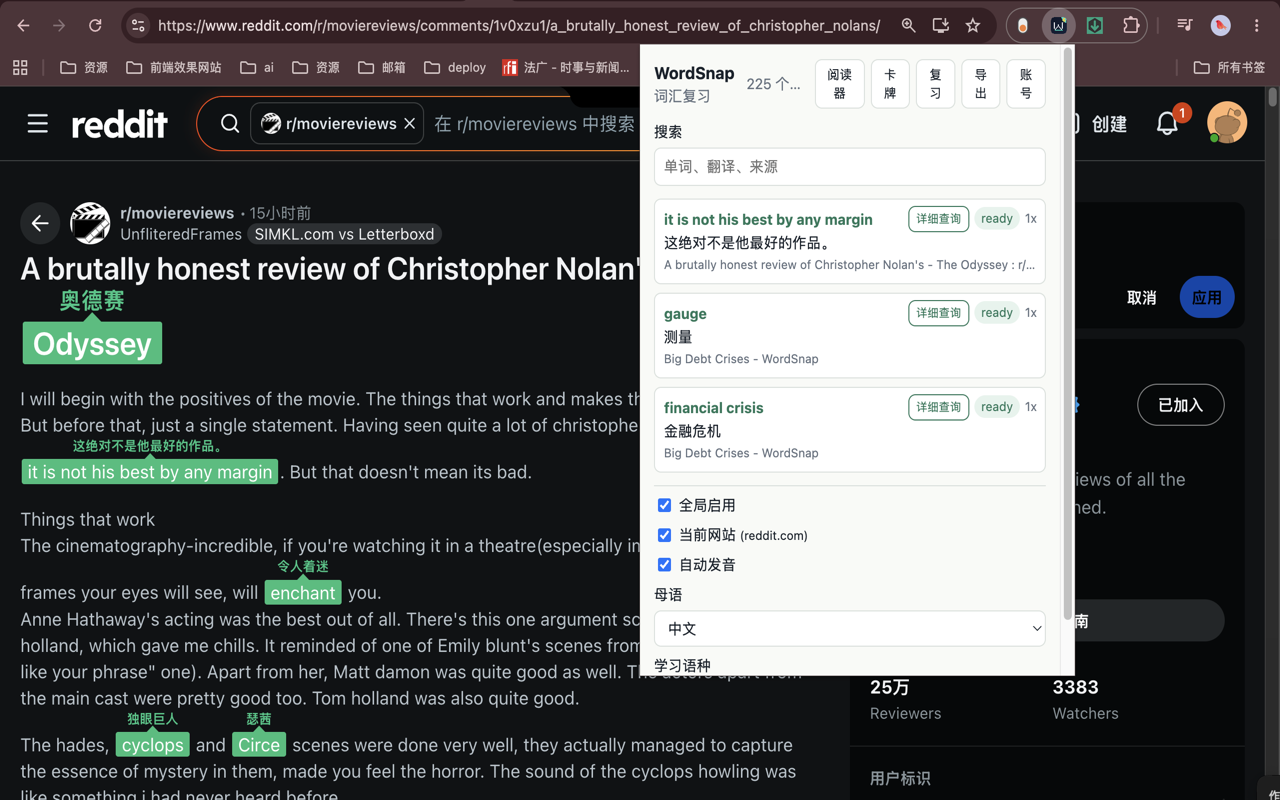
Look up words without leaving the page
Click a word or select a phrase to translate it in place, hear the pronunciation, and save the surrounding context automatically. YouTube subtitle clicks pause the video so you can understand the moment before continuing.
WordTrail
02
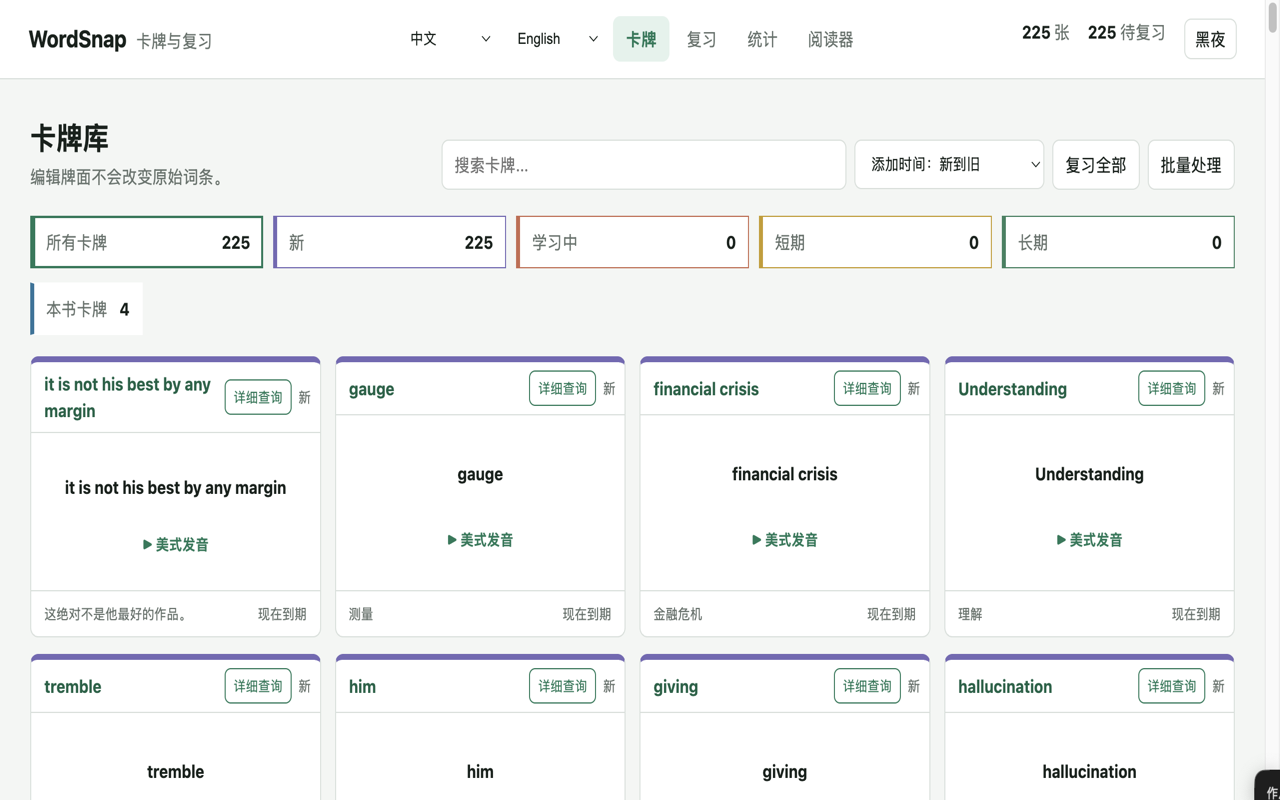
Build a vocabulary library automatically
Each card can retain the translation, IPA, pronunciation, examples, source title, source URL, and repeated encounters. Search, filter, edit rich text, and revisit the exact context where a word mattered.
 WordTrail
03
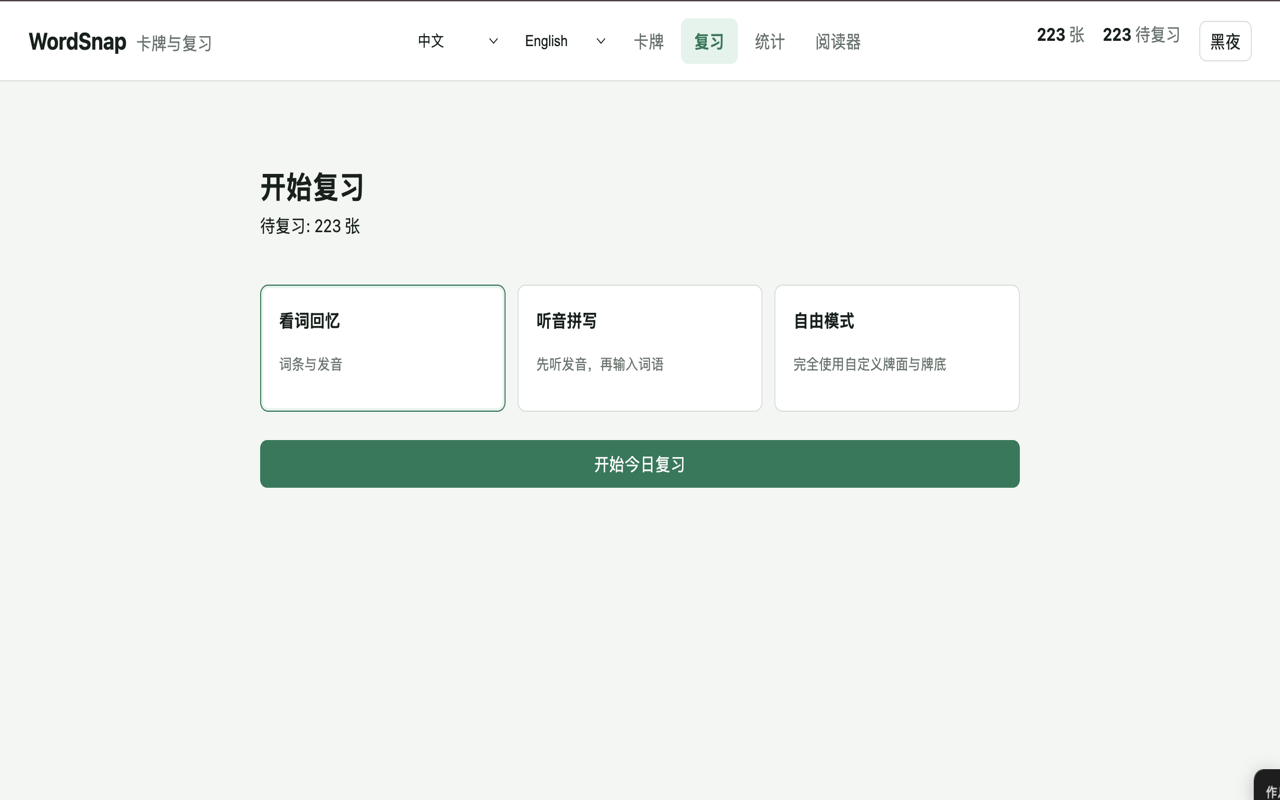
Review in more than one way
Use recognition, listening-and-spelling, or custom-card review. Spaced repetition adapts the next review interval from your feedback and keeps the queue focused on what needs attention.
 WordTrail
04
Read ebooks with the same workflow
Import plain text or DRM-free EPUB files into a focused reader. Adjust typography and layout, use the built-in dictionary, create book-specific cards, and resume from your saved reading position.
 WordTrail
How it works
Three steps, no app switching
Notice
Click a word or select a phrase in the content you are already using.
Capture
WordTrail saves the meaning, pronunciation, sentence, source, and context.
Retain
Review the card later using a mode and interval suited to your memory.
Privacy by design
Your reading is not an advertising product
WordTrail does not sell personal data or use learning data for advertising. General browsing history is not collected. Page information is saved only when it belongs to a word or phrase you choose to capture.
✓Core use is available without registration.
✓Translation text is sent only when you request a translation.
✓Cloud sync is optional and scoped to the signed-in user.
Language spaces
Keep each language separate
Choose a native language and a learning language. Books, cards, and progress remain separate when you switch between learning spaces.
English中文FrançaisDeutschItalianoEspañolPortuguêsРусский日本語한국어العربيةไทย
FAQ
Common questions
Does WordTrail work without an account?
Yes. Core lookup, card, review, and reader features can be used locally. An account is only needed for optional cloud synchronization.
What ebook formats are supported?
Pasted text, .txt files, and DRM-free .epub files. WordTrail does not remove or bypass DRM.
What data is sent for translation?
Only the selected word or phrase and the source and target language codes. Requests go through WordTrail's authenticated Supabase proxy to Google Cloud Translation.
Is WordTrail available on Chrome too?
The product is designed for Chromium browsers. This website currently presents the Google Chrome release; other store links can be added when published.
Make everyday content your language course.
WordTrail is being prepared for Google Chrome Add-ons.
View product features